Migrate your home router to the newer version of Tech Lockdown.
(1) Log into your Router
You will need to log in to your router's access portal/admin panel to follow these steps. Login instructions are typically on the back or bottom label of the physical router device.
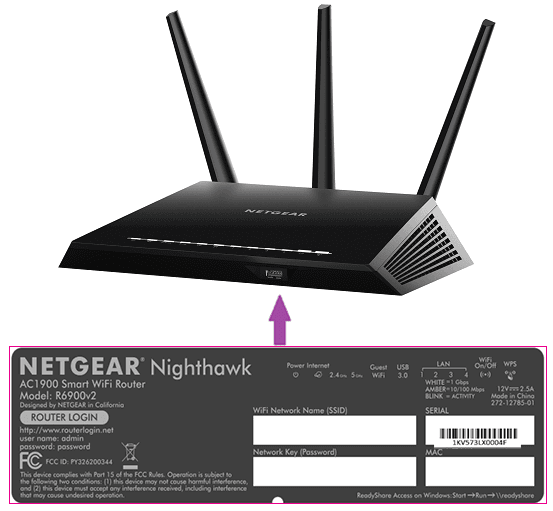
Most routers will have a default password and username listed on the label, as well as an IP address you can type into your web browser:
The most common IP addresses you will need to use are 192.168.0.1 or 192.168.1.1, but check the label of your router, just in case.
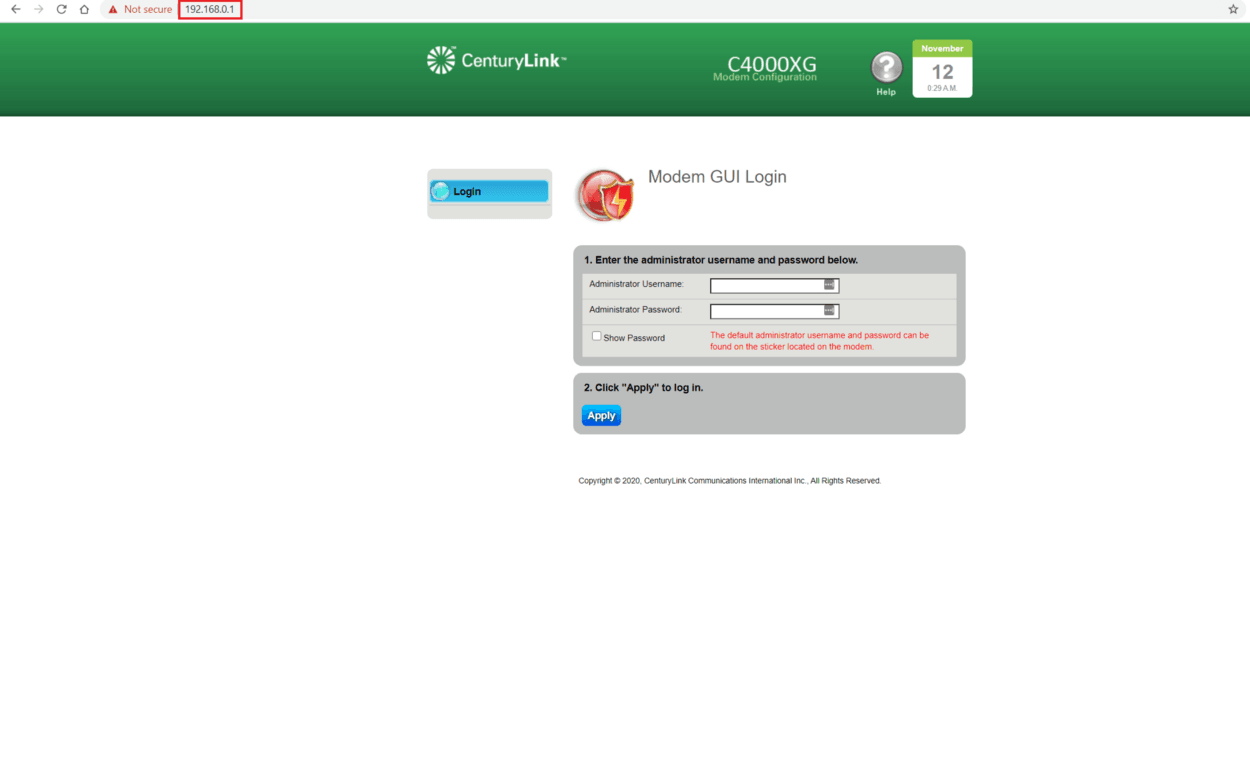
- If done correctly, you should see a login page for your router; enter the admin username and password (usually listed on your router's label). Here's an example:
(2) Update DNS Settings
Most router panels should have these instructions available by going to an "Advanced" or "Network settings" section.
- Access the DNS settings page after logging into your router
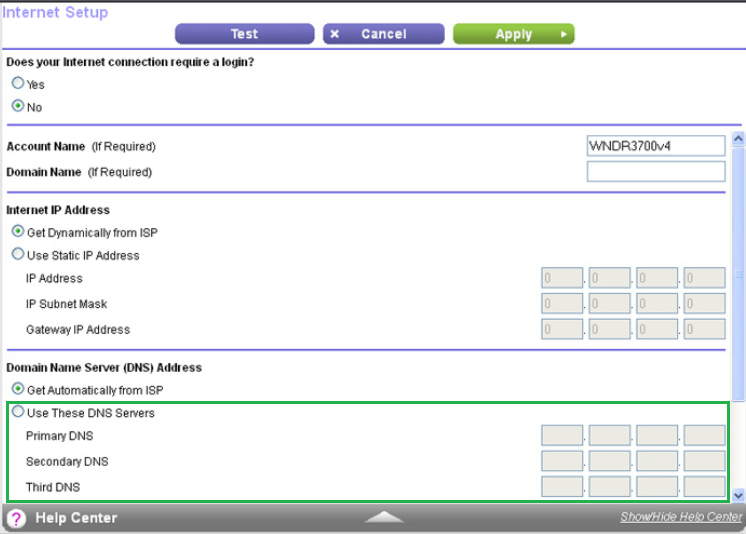
- Update DNS settings to these addresses:
Primary:
172.64.36.1Secondary (if present):
172.64.36.2Each router model has a different interface, so this will likely look different. Most router manufacturers have instructions available on their website.
(3) Confirm Filtering is Removed
- Use any device (laptop, desktop, smartphone), but ensure that you're connected to your home's Wi-Fi network
- Go to https://www.dnsleaktest.com/ and click standard test
You should see Cloudflare listed as the ISP, like this:
You should not see results from "dnsfilter.co" or "NetActuate"
If you see dnsfilter.co or NetActuate still...
If you see "dnsfilter.co" or "NetActuate", try these next steps:
- Visit the DNS Leak test website on a different device
- Confirm your device doesn't have the DNSFilter application installed
- Confirm that you've saved DNS settings on your router (some router models require you to click the save button)
- Wait a few minutes; settings might take as long as 15 minutes to fully update on some models
- Unplug your router, wait 30 seconds, then plug it back in
(4) Proceed with the new version of Tech Lockdown
Your router should now be ready to use the new version of Tech Lockdown.
If you have an older version of the dashboard and an active subscription, then you should automatically have access to the newer version of the filter.
- Access it at this link: https://dashboard.techlockdown.com/login
- Complete setup instructions for your router by following these directions.
Please feel free to reach out to support if you have any questions.